Back in the early 80s, I worked on some great games for Sierra that haven't been available in over a decade. Back then, they were huge projects; now they're a short download. While the graphics really show the age of these games, I think the game play still holds up.
All are adventure game format, with the exception of "Donald Duck's," which is more skill-based, and none requires typing, use any controllers other than a few keys and perhaps an optional joystick.
To download any of these games, just click its title. But remember: I don't do "customer service" on these. You're on your own about making them work with your computer, operating system, video chip, sound devices, etc.
As far as I know, these games are no longer of any interest to my friends at Disney or Sierra, so feel free to copy them and share them with your friends.

How To Get These Games To Work
Thanks to Douglas McGarvey, here are the “simple” instructions to get Troll’s Tale to work on modern Windows.
- If you are running 32-bit Windows, skip ahead to Step 6.
First, give your 64-bit system a "Virtual XP" computer
- Download Windows Virtual PC and XP Mode from Microsoft’s website and install it; it forces an operating system validation before downloading and a reboot after installing.
- Install XP Mode for Windows Virtual PC, which should have come in the previous step; no reboot necessary.
- Run Windows Virtual PC and follow the instructions to set up XP mode. It creates a window that emulates a Windows XP machine, complete with an emulated hard drive. It doesn’t install into your Program Files folder, but builds a virtual hard drive within Virtual PC instead. It then sets your real hard drive as a shared drive.
- Open the emulated Windows XP “My Computer,” find the appropriate drive under “Other,” navigate to the files you need, and drag them onto the Windows XP desktop.
Then install an Apple ][ emulator to your new XP emulator
- Download and install Apple II Oasis from Zophar’s Domain.
- Download Apple_IIe_ROM.zip, an Apple II system ROM image.
- Extract the ROM file from that ZIP into the Apple II Oasis install directory created in Step 6.
Install the game to the Apple ][ emulator
- For example, download the Troll’s Tale disk image below. Save it into the Disk Images directory inside the Oasis install directory.
- Run Apple II Oasis. It will tell you that there’s no disk image mounted and walk you through the following steps: press CTRL+F12 to bring up the disk image loader; press F4 to bring up the file selection dialog; navigate to the Troll’s Tale image in the Oasis install > Disk Images folder; double-click it; press CTRL+F1+F12 to reboot the emulator. It should load the game automatically.
And that's all there is to it! Thanks again to Douglas McGarvey for figuring all this out!
An Alternative Method
Barney Erasmus figured out these step-by-step instructions for the Winnie the Pooh game:
- Download Applewin version 1.20.
- Unzip Applewin to a folder of your choice.
- Download the Winnie the Pooh game.
- Unzip the game to the same folder.
- Run the emulator.
- Click the icon that looks like a disk drive with the number 1 and select the first disk file, WinnieThePooh,AppleII,SideA.dsk.
- Click the Apple icon to load it. When you hear the theme song, click the drive 1 icon again and select the second disk file, WinnieThePooh,AppleII,SideB.dsk.
Use the space bar and Enter to play.
The Black Cauldron
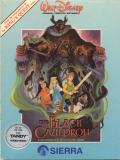 "The Black Cauldron" was the last of the pre-Michael Eisner Disney animated feature-length movies. Disney had no software developers back then and had seen my very early game, "Troll's Tale." They asked me to do a movie spinoff using its simplified Spacebar & Enter key-only interface. They gave me complete access to the original hand-painted backgrounds, the original Elmer Bernstein score, even the original animation cells, which were still literally lying in heaps, before being sent off to the dump! (Eisner fixed that tradition quickly!) The story echoes the movie, but anywhere you could do something different from the action in the movie, you received more points for doing so. There are at least six different variations of the ending, based on decisions made throughout game play.
Running Windows XP?
Matt Vassar shared how he got this game to run:
- Download The Black Cauldron game from the link above, unzip it, and install it.
- Go here and download the newest version of VDMSound. Run the file and follow the installation instructions.
- Go here and scroll down until you see “NAGI v2.06 by Nick Sonneveld.” Download it and unzip it into the same folder where you installed The Black Cauldron.
 To here and scroll down to the very bottom. Find “SDL Library by Sam Lantinga,” download it and unzip its files into the same folder as The Black Cauldron and NAGI.
- Open Windows Explorer, navigate to your Black Cauldron folder (with NAGI, SDL.dll, and The Black Cauldron), Right-click on "n.exe", and choose “Run with VDMS." VDMS will display a tip of the day. Close it and The Black Cauldron should run automatically.
Running Win7 or Vista?
See How To Get These Games To Work, above.
Enjoy this game? Visit my Tip Jar!
Donald Duck's Playground
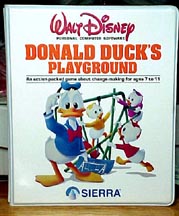 "Donald Duck's Playground" won several awards from educational software magazines as best educational game of the year. In it, you are Donald, working at four different jobs to earn money, which you then spend to buy playground equipment for your nephews to enjoy.
Brendan Onfrichuk sent instructions on how to play:
Train Controller
The object of this game is to guide the train to the station shown by operating the levers. The levers are numbered, so find all the numbers on the map before starting. When the train is moving, operate the levers to move the tracks to create a route for the train.
Produce Sorter
Here you must put the fruit thrown at you into its corresponding box. It lands in a different spot each time. Watch the angle as it is thrown and move under it, then drop it in the matching bin.
Toy Store
Place the toys given to you in front of the identical toy on the shelf. Move the ladder to the left of the toy since you always climb with the toy in your right hand. If the toy is not centered on its mate, it will fall and cost you earnings. Watch the time, and be sure to pull the lever on the lower right side of the screen before the counter hits 0 or the passing train will cause all the toys will fall off the shelves.
Airport
Sort the luggage. Try to memorize the three-letter airport abbreviations on the sorting bins so you know which suitcases to grab. Don't waste any time; this is the easiest game to earn money.
Other
You can use the "X" key instead of the F10 key. (When the game was written all function keys were to the left of keyboard, with F10 at the bottom.)
Technical
If the game won't work on your computer, you might try downloading the new open-source AGI interpreter here. It runs under Windows and also works with some of the other games here.
Running Win7 or Vista?
See How To Get These Games To Work, above.
Enjoy this game? Visit my Tip Jar!
Winnie the Pooh
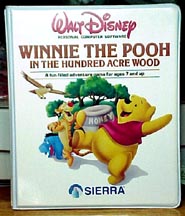 "Winnie the Pooh in the Hundred Acre Wood" was another game using my "Troll's Tale" engine, except the word "engine" is too high-falutin' for that simple thing! Anyway, I consider this game one of my best. Again, Disney shared artwork from their Pooh movies which our artists used to come up with the background art and I used as inspiration for the locations and puzzles. I've found both the msDOS version and the Apple ][ version.
Check out Curt Coder's (what a great name for a programmer!) ScummVM website. He has an emulator that makes this game run much better on modern computers.
And here is an Apple ][ version of the game in Apple disk format.
Running Win7 or Vista?
See How To Get These Games To Work, above.
Enjoy this game? Visit my Tip Jar!
Mickey's Space Adventure
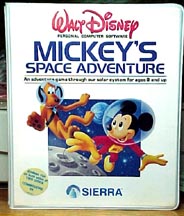 "Mickey's Space Adventure" was designed by Roberta Williams, but I did create the music for it. Players visit all nine planets in the our solar system. The file you download unpacks to 2 subdirectories called "Disk 1" and "Disk 2." It requires a blank floppy disk in drive A for your saved games.
Check out Curt Coder's ScummVM website. He has an emulator that makes this game run much better on modern computers.
And here is what is purported to be an Apple ][ version of the game in Apple disk format. If you get this to work, please tell me how!
Running Win7 or Vista?
See How To Get These Games To Work, above.
Enjoy this game? Visit my Tip Jar!
Troll's Tale
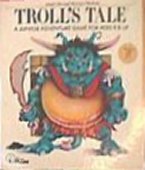 "Troll's Tale" was the inspiration for "The Black Cauldron" game and is the third game I ever programmed. It looks incredibly simplistic now, but as I recall, I worked a lot of hours on it! Here are an msDOS version.
And here is what is purported to be an Apple ][ version of the game in Apple disk format.
Running Win7 or Vista?
See How To Get These Games To Work, above.
Enjoy this game? Visit my Tip Jar!
Dragon's Keep
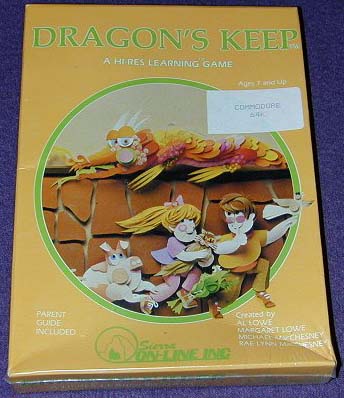 "Dragon's Keep" was the first computer game I ever programmed. It was an educational adventure game featuring possibly the world's first "point and click" user interface. I wrote this in Applesoft Basic on my trusty Apple ][+ in the summer of 1982. Here's a Commodore 64 version provided by a friend. She says it will work under Windows if you use a program called WinVice or CCS642.0. I'm not familiar with either program, but I'm sure you can find them on the Web. This is truly "Stone Age" software!
And Allen McBride has found an Apple ][ version. The entire game's disk image is only 42KB!
Running Win7 or Vista?
See How To Get These Games To Work, above.
Enjoy this game? Visit my Tip Jar!
The Laffer Utilities
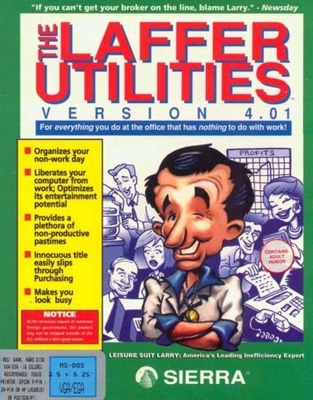 "The Laffer Utilities" was originally a collection of DOS utility programs, many of them TSRs (who remembers that TLA?), about "everything you do at the office that has nothing to do with work!" When Windows 3.1 became popular, we did a version for it. If you want to see what Windows programs looked like in prehistoric times, here it is! Windows version Unzip it into C:\ and have fun exploring.
Does anyone have a graphic of this that I could add here? I don't!
Running Win7 or Vista?
See How To Get These Games To Work, above.
Enjoy this game? Visit my Tip Jar!
Softporn
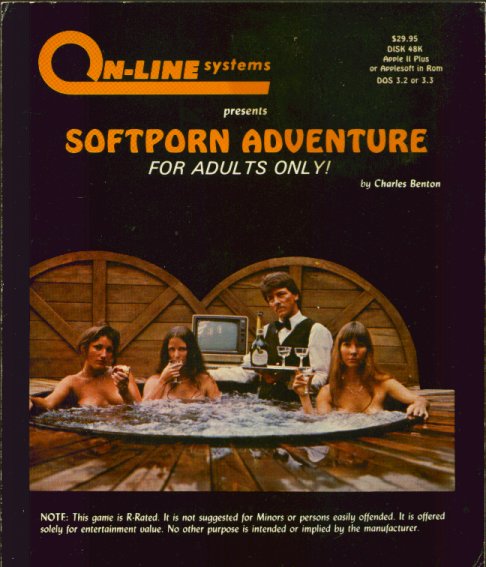 Before there was a Leisure Suit Larry, Chuck Benton created the only non-graphic game Sierra ever sold, Softporn for the Apple ][. I later used its puzzles as the basis for LSL1: Leisure Suit Larry in the Land of the Lounge Lizards. Still later, Gary Thompson reprogrammed it for the IBM PC.
Here's your chance to see whether the changes I made to this classic game were improvements or not! Click here to download "Softporn" and see 1981 for yourself! It even includes an HTML walk-through (since you'll never solve the game without it!).
Enjoy this game? Visit my Tip Jar!